
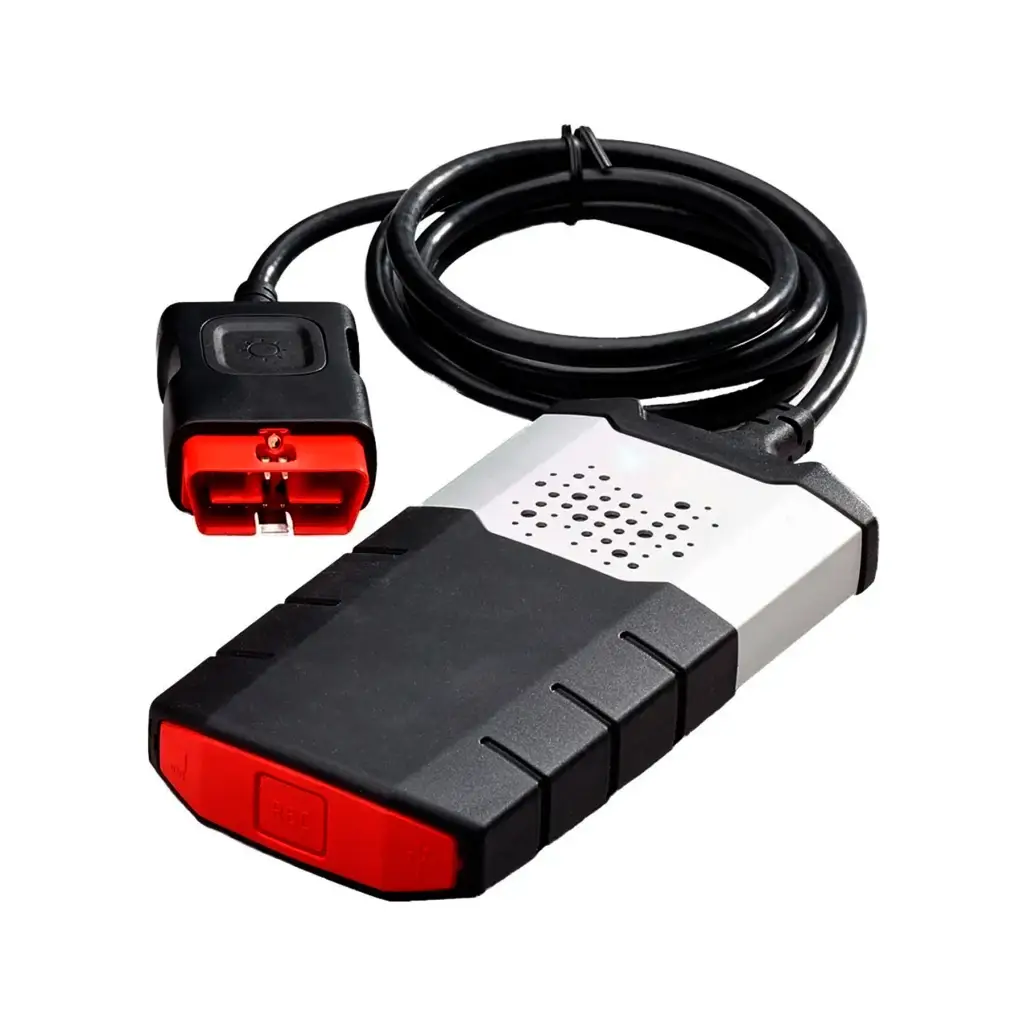
The Delphi Autocom 100251 diagnostic tool, which is also compatible with Eclipse and Wow, is a clone—not an original.
To easily identify the Delphi Autocom diagnostic tool, look for the serial number on the back: serial number 100251.
This machine is particularly useful in workshops and for home use, making it accessible to more users than the original model.
This is because the original machine costs around €2,000, while this unofficial version can easily be found for between €50 and €90, depending on the specific model.
Within the non-original VCI 100251, we can distinguish two main versions:
2 motherboards or 1 motherboard, with the option of 1 motherboard being better.
Delphi 2 motherboards:
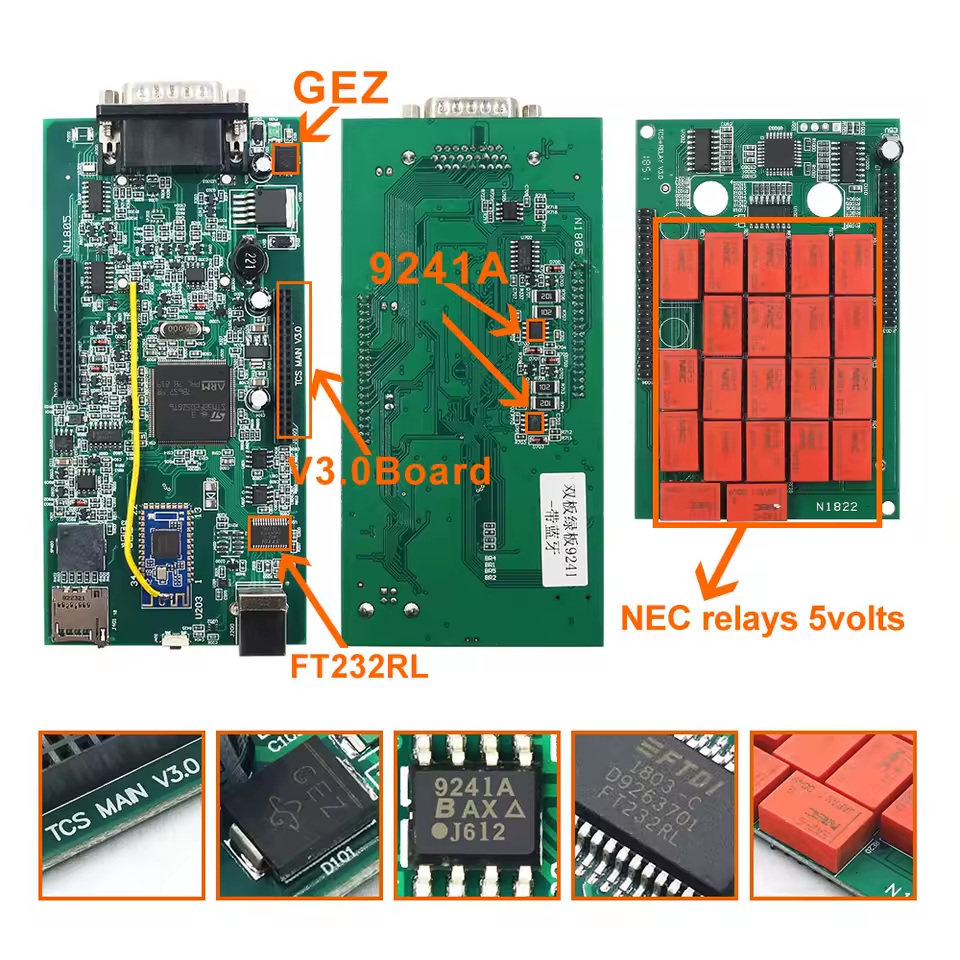
In this photo, we can see that this machine has a large circuit board inside that takes up the entire base, and a smaller rectangular circuit board with several red relays, which is plugged into or connected to the larger board.
Setting aside whether the relays are one color or another in different versions, this machine is both the most affordable and the best-selling because of its price.
Overall, it works well, but it has trouble connecting to car models from 2009 onward; BMW, Mercedes, and Mini are a problem for this device, and it can't perform certain functions on some VWs either.
This machine uses firmware version 1622 on the new Autocom, although it can also use version 1423.
Delphi 1 Motherboard:
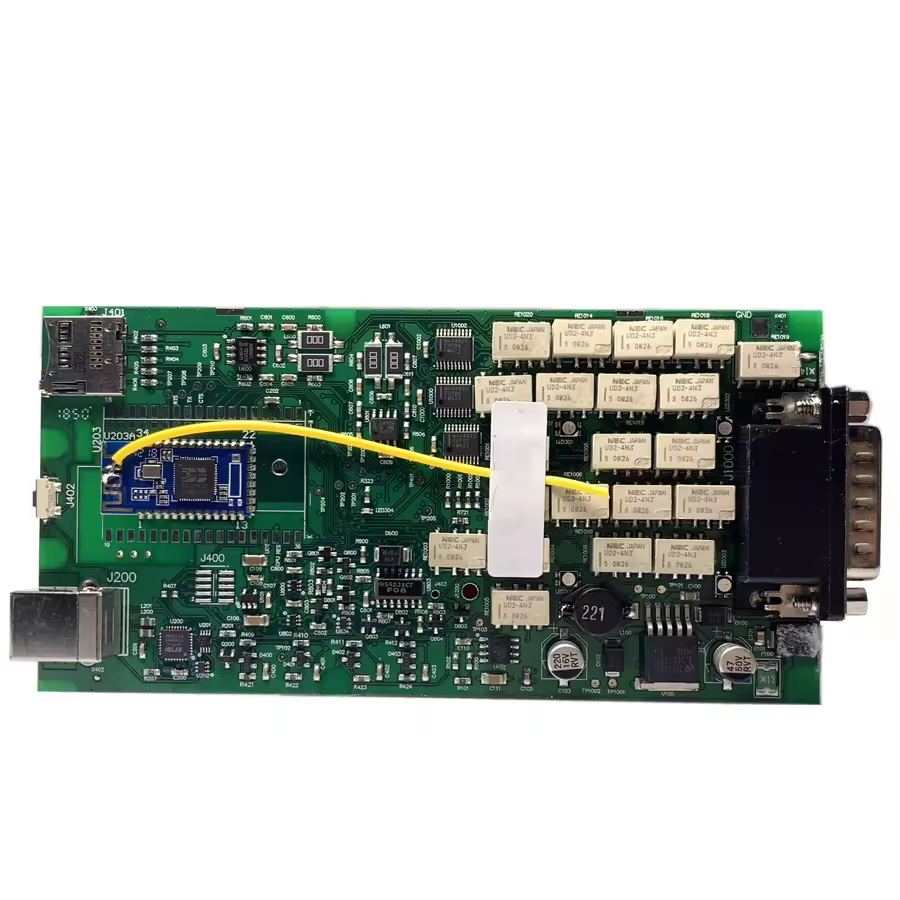
In this example, we see a machine that is internally different from the dual-board clone.
Physically, this machine consists of only one motherboard inside.
Since everything is on a single chip and designed the way it is, it's faster and fits easily into all car models, avoiding the difficulties of the other one.
This machine uses firmware version 3201, although it can also use versions 1622 and 1423.
In my experience, this machine with firmware version 3021—or, if you're having trouble with a BMW, firmware version 1423—is the best option to buy.
You can find both of them in our online store:
Installing the software to use the Delphi diagnostic tool:
We can use it with Autocom, Delphi, Wow, and Eclipse
Autocom and Delphi 2021 are the latest versions compatible with these machines.
The installation process is the same; in other words, they are installed the same way.
1. – Disable Defender. To keep Defender disabled in Windows 10 or 11, you can use Defender Control: Download Defender Control
2. – Unzip the provided Autocom 2021 or Delphi 2021 file
3. – Install using the main file and the password: NewSoftware2021
4. – Activate the program using the keygen. When you open the program, it will display an identification code. Copy this code, paste it into the keygen, click “Generate Code,” copy the new code (which is much longer), and paste it into the large box in the program.
This keygen displays a message saying it's a scam or that you've been tricked; the person who created this activator put it there. The reality is that you'll have a hard time getting this version of the program without paying for it—diagnostic tools aren't free.
Leave a Reply