Category: Miscellaneous

-
Shall we do it again this year?
Champions League Final: Real Madrid vs. Liverpool
-
Unlock PS4 Easily Online
It's easy to unlock your PS4—just go to the following address using the PS4's browser:
https://jmicomputer.blog/ps4
Click the X when prompted.
Jailbreaking a PS4 is entirely feasible in 2026 and the range of compatible firmware versions has expanded significantly, now supporting versions up to 13.52 thanks to recent exploits. Modern WebKit-based methods allow the process to be carried out directly from the console’s browser, eliminating the need to use Blu-ray discs or USB drives on newer systems.
How to Unlock a PS4 the Easy Way

Key Points to Consider Before You Begin: How to Unlock Your PS4 Easily
- Temporary Process (Soft Jailbreak): The unlock is not permanent. Every time the console is completely shut down or restarted, you’ll need to run the script from your browser to reactivate the mod menu; this does not prevent you from easily unlocking your PS4.
- Goodbye to online gaming: You should not connect your console to the PlayStation Network (PSN) while the exploit is active. The risk of a permanent ban on your account and the console itself is extremely high. This is an ideal method for users focused on campaigns and story modes.
- Disable updates: The first thing you should do on your original PS4 is go to Settings > System > Automatic Downloads and uncheck all the boxes to prevent the system from updating on its own and patching the vulnerability.
Summary of the Current WebKit Method (No USB or Discs)
To easily unlock recent versions of the PS4 (such as 13.50, 13.00, and up to 13.52), the current scene uses loads via the web browser:
- Configure the network: Manually access your PS4's network settings and change the primary and secondary DNS addresses to the specific values for the host server you'll be using (this blocks Sony's servers and redirects traffic to the unlocking tools).
- Clear the browser: Open the PS4's web browser, go to Settings, and delete all cookies and stored website data.
- Enter the exploit URL: Type in the web address of the specialized host (online communities share updated, active websites such as Modded Warfare or NanospeedGamer).
- Load the menu and install GoldHEN: Allow the page to save data to the console's cache. Easy PS4 unlock: When you run the exploit on-screen, it will inject the software (usually GoldHEN or HEN), enabling the secret " Debug Settings " menu in the system settings.
- Install your copies, easily unlock your PS4: With an external hard drive or USB drive formatted in exFAT, you can connect your game files in the
.pkgand install them directly from the new package installer (Package Installer).
How to Unlock a PS4 the Easy Way
Discover and download thousands of PlayStation games and add-ons from every generation. Purchase them from your console, the website, or the PlayStation app, and then sign in to your PlayStation account to play the games in your collection on any PS5, PS4, or PlayStation Portal remote-play device.
GoldHEN is the most popular and widely usedHomebrew Enabler (HEN) and payload for easily unlocking the PlayStation 4 in the console's modding scene. Developed primarily by the programmer SiSTRo, it serves as a software layer that runs on top of a kernel exploit to unlock features that the official operating system blocks by default.
Current Status and Compatibility
The GoldHEN ecosystem is constantly updated to support new exploits discovered by the community. The latest stable and beta versions (such as the v2.4b branch) have expanded their compatibility from classic firmware versions like 9.00 (via WebKit/USB) and 11.00 (via PPPwn) to include recent support for newer versions of the PS4 system, including the firmware
Key Features
- Installing packages: Allows you to install files in the
.pkgunsigned (such as emulators, games, and custom tools) from an external or internal USB storage device. [1, 2] - Built-in Cheat Menu: It offers native support for applyingcheats within video games and managing code repositories. [1, 2]
- Loading plugins: Facilitates the use of system plugins in the background (for example, to modify console behavior or apply patches). [1, 2]
- Debugging Tools: Enables the hidden " Debug Settings " menus found in Sony's official development kits. [1, 2]
- How to Unlock a PS4 EasilyNetwork Features and Support: Includes FTP and BinLoader servers for wirelessly sending and managing files directly from your computer, as well as support for Rest Mode
- GoldHEN is the definitiveHomebrew Enabler (HEN) and payload for modifying the PlayStation 4 (PS4) console. Developed by the programmer SiSTRo, it is software that runs after triggering an exploit in the console's operating system, completely unlocking its features and allowing the execution of unofficial code.
- It is, by broad consensus, the most stable, comprehensive, and widely used tool among the PS4 modding community.
- 🌟 Key Features
- PKG Installation: It allows you to install and run games, third-party apps, and emulators using files
.pkgfrom a USB storage device. - Cheat Manager (Cheat Menu): It features a built-in menu for activating cheats and patches in real time within games.
- Plugin Support: Allows you to load small programs that run in the background and modify the system (for example, to display the console temperature or FPS on screen).
- FTP Server and BinLoader: Facilitates a wireless connection between your computer and the PS4 so you can easily transfer files or send payloads.
- Easy PS4 Unlock : Rest Mode: It is fully compatible with the official Rest Mode, allowing you to put the console to sleep without losing the exploit's activation.
- 🎮 Firmware Compatibility
- GoldHEN requires the console to be running a system version that has a publicly known kernel exploit. Currently, it works very well on the following key firmware versions:
- Firmware 5.05, 6.72, 7.02, 7.55 (Old browser-based methods). Easy PS4 unlock
- Firmware 9.00 (One of the most stable versions, activated using a modified USB flash drive).
- Firmware versions 9.03 through 11.00 (Activated via the PPPwn exploit using an Ethernet cable connected to a compatible computer or router).
- To better help you, what are you currently trying to do with your console? If you tell me which firmware version your PS4 has installed (you can find this under Settings > System > System Information), I can confirm whether it's compatible and what the best way is to enable it.
To install GoldHEN, the exact process varies depending on your PS4's firmware version. Since GoldHEN is a temporary software payload and not a permanent installation (it must be activated every time you turn on the console), the method depends on how the system is exploited.
The two main methods currently available for installing it and easily unlocking a PS4 are as follows:
Method 1: Firmware versions 9.03 through 11.00 (Using “PPPwn”)—Easy PS4 Unlock
This procedure is based on a local network exploit. You'll need a computer with an Ethernet port (or adapter), an RJ45 LAN cable, and a USB flash drive.
- Preparing the USB drive:
- Preparation on the Computer:
- Settings on the PS4:
- Go to Settings > Network > Set Up Internet Connection on your PS4.
- Select " LAN Network Cable," then choose "Custom," and under IP settings, check "PPPoE." For the username and password, enter any characters (for example, "ppp"). Leave the rest set to "Automatic." [1]
- GoldHEN Injection:
- Click Start / Run in your PC's program menu.
- Right away, on your PS4, select “Test Internet Connection.”
- After a few seconds, your computer screen will indicate that the process is complete, and you'll see a notification appear in the upper-left corner of your PS4 confirming that GoldHEN has loaded successfully . (You can now disconnect the cable and remove the USB flash drive if you wish, as it will remain stored on the console's internal hard drive until the next reboot.) [1, 2, 3, 4]
Method 2: Firmware 9.00 or earlier (Using a Web Browser/WebKit)
If you're lucky enough to be using the classic version 9.00 or earlier, unlocking your PS4 is easy—this method doesn't require a computer or a constant internet connection. [1]
- The USB file: Download the exploit image file
.imgspecific to your version and copy it to a USB flash drive using tools on your PC such as Rufus or Win32DiskImager (This creates a "magic" USB drive needed to trigger the exploit.) - Console Browser: Open your PS4's web browser, clear your cookies and browsing history, and enter the address of a trusted host from the scene (such as Leful, Karo, etc.). [1]
- Activation: When you click on the button for your version (e.g., 9.00 GoldHEN), the website will display a pop-up message asking you to insert the USB drive. Plug it in, wait for the system notification stating “This storage device is not supported,” and click OK on the screen. GoldHEN will launch immediately. Easy PS4 Unlock
🚨 New Feature for Higher Firmware Versions (11.02 through 13.52) to Easily Unlock PS4
Exploits and adaptations of [...], have recently been published GoldHEN is compatible with firmware versions 11.02 through 13.52. These methods usually require renaming the payload to
payload.binorpilot.binon an exFAT USB drive and inject it using web-based tools or specific loaders that leverage new browser entry points or specific games. [1, 2, 3, 4, 5]To provide you with the exact instructions and files you need, what version of firmware is currently installed on your PS4?(You can check this under Settings > System > System Information.) [1]
How to Unlock a PS4 the Easy Way
GoldHEN is the definitive modification software—or Homebrew Enabler (HEN)— for the PlayStation 4 console. Developed by the programmer SiSTRo, it functions as a layer of code (called a payload) that runs after exploiting a vulnerability in the console's operating system.
Its main function is to remove all official factory restrictions, allowing the user to take full control of the console's hardware in a safe and stable manner.
🛠️ Features and Technical Specifications Easy PS4 Unlock
- Unofficial Software Installation: Enables the Package Installer menu to install and runhomebrew applications, retro console emulators, and games in .pkg format.
- Built-in cheat menu: It features a native manager (Cheat Menu) that lets you activate cheats, performance patches, and graphical modifications in real time while you play.
- Plugin Support: Allows you to run small plugins in the background, which are useful for tasks such as monitoring the console's temperature or displaying the frames per second (FPS) on screen.
- Built-in FTP and BinLoader servers: These make it easy to connect the console wirelessly to a computer to transfer files directly to the internal hard drive without having to constantly use USB flash drives.
- Rest Mode Compatibility: This is the most stable environment in the scene, allowing you to put the console intoRest Mode and turn it back on without losing the exploit's activation.
🔄 Software Status and Versions Easy PS4 Unlock
Unlike permanent patches for other consoles, GoldHEN does not permanently modify the console. The exploit must be run every time the console is fully powered on.
The GoldHEN ecosystem for easily unlocking the PS4 is constantly updated to support new unlocking methods discovered by the community, offering stable compatibility starting with the classic 5.05 and 9.00 firmwares, through the widely used PPPwn exploit for versions up to 11.00, and including support in its most recent development branches for later versions.
Installing a .pkg file with GoldHEN is a very simple and straightforward process. Once you've activated GoldHEN on your PS4, the console unlocks a hidden developer menu that handles these installations.
How to Unlock a PS4 the Easy Way
Here are the detailed steps to do it:
1. Prepare the USB storage device
- Correct format: Make sure your USB flash drive or external hard drive is formatted using the exFAT file system. (The console does not recognize the NTFS format, and FAT32 does not support files larger than 4 GB.)
- File location: Copy your files
.pkgdirectly on the root directory of the USB flash drive (Don't put them in any folder, or the installer won't be able to find them.) - Connection: Plug the USB device into any of the front ports on your PS4.
2. Launch the installer on the PS4
- Make sure GoldHEN is active (you'll see the notification in the upper-left corner when you turn on the console).
- Go to Settings on your PS4.
- At the top of the list, open the GoldHEN special menu.
- Find and select the " Package Installer " option.
3. Install the content
- Within Package Installer You'll see a list of all the files
.pkgthat you saved on your USB drive. - To install just one: Hover over the file you want and press the X button.
- To install them all at once: If you have multiple files (for example, a base game, its updates, or DLCs), there's usually an option at the top called " Install All."
-
Spain Advances to the World Cup Quarterfinals
Spain Advances to the World Cup Quarterfinals
1-Minute Summary
SPANISH TEAM ADVANCES TO THE QUARTERFINALS!
A one-minute recap of a game that was decided in the final moments.
How quickly he takes the free kick.
Rodri's precise forward pass.
Ferrán Torres's spectacular assist.
And Mikel Merino's wonderful finish.After a match with plenty of scoring chances but no goals until the final moments, Mikel Merino—the player who remains undefeated with Spain on the field—scored the only goal of the game and sent Spain to the World Cup quarterfinals.
De la Fuente made the right substitutions, bringing Ferran and Mikel Merino into the game, and they set up the play that led to the goal.
Cucurella was flawless.
Meanwhile, CR7 played his final World Cup match.
CR7, facing one of the most important games of his life

That look of concentration. That drive. This guy is a legend.
CR7 said goodbye to the World Cup in Madeira
After Cristiano Ronaldo's final World Cup match—Portugal vs. Spain—a farewell ceremony featuring drones was held in his hometown of Madeira…
-
Discount coupon: €8 off a Volkswagen ECU
An 8€ discount coupon for Volkswagen ecu has been created and is available with the code: cupovw
This coupon is valid for purchasing the original, Stage 1, or Stage 2 ECU file for Volkswagen vehicles.
Applies only to ECUs available on the website.
Due to the demand for ECU files for this car brand.
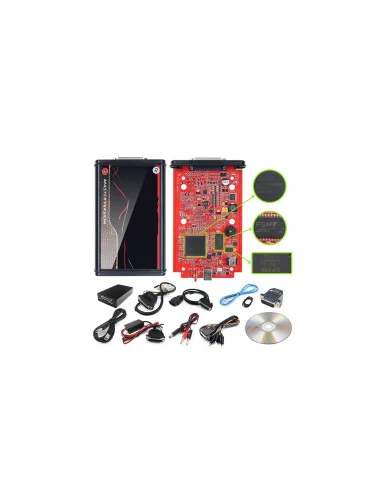
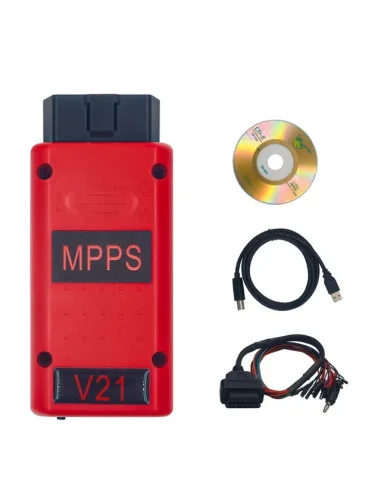
These files are compatible for use with Kess v2 or Mpps.
Limited-time offer—if you need the file, buy it now and take advantage of this offer.
Wikipedia ECU